
You want to dive into AI automation but feel overwhelmed. This AI automation roadmap gives you a clear path forward. It breaks down complex ideas into simple steps. Anyone can start, even without tech skills.
AI automation changes how we work and live today. It saves time on repetitive tasks. For beginners, it opens doors to better productivity and new opportunities. Students, solopreneurs, and creators find it especially useful. With the right guide, you avoid common pitfalls and build confidence quickly.
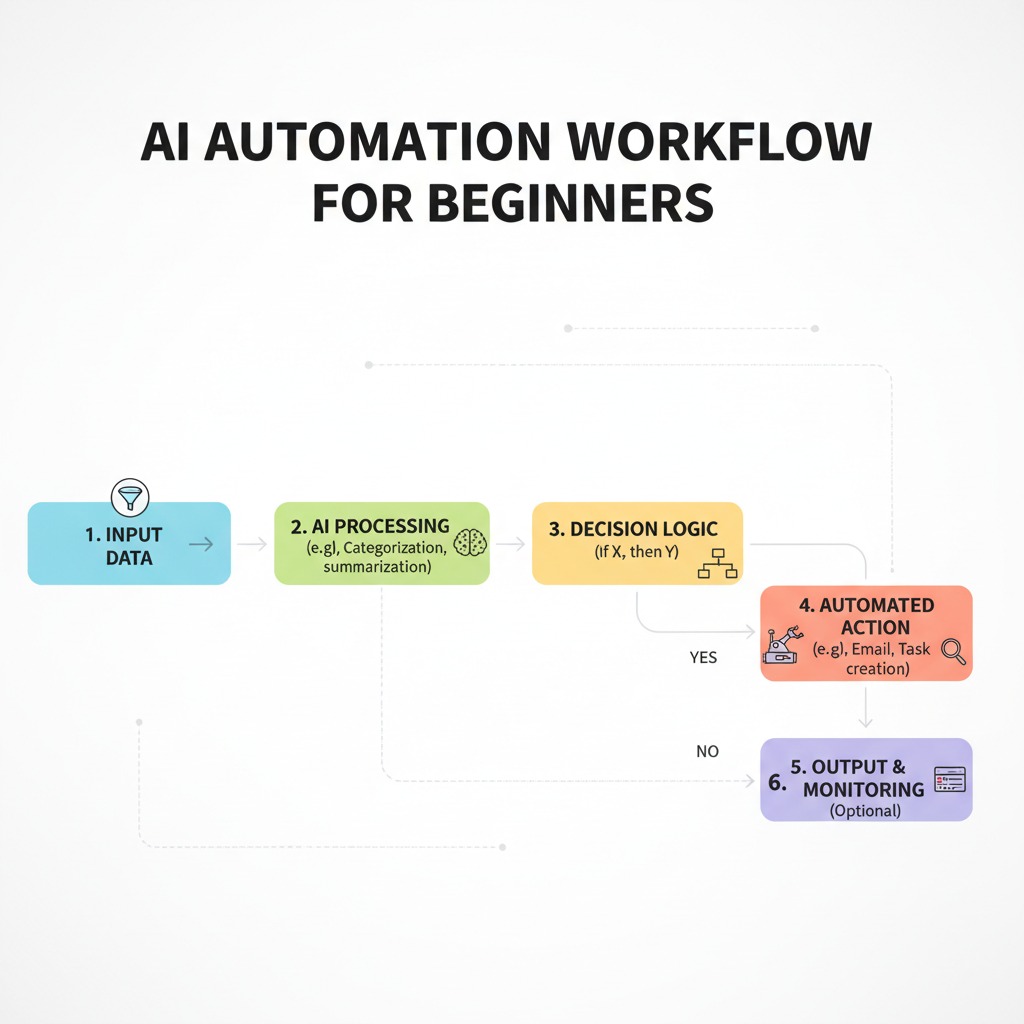
What AI Automation Really Means
AI automation uses smart software to handle tasks automatically. It mimics human actions but works faster and without errors. For example, it schedules emails or organizes data.
Think of it like a helpful robot assistant. You tell it what to do once, and it repeats the process forever. A student might automate note-taking from lectures. A creator could set up content posting on social media. This keeps things simple and efficient.
Moreover, AI automation focuses on everyday needs. It does not require coding knowledge at first. Tools like chatbots or workflow apps make it accessible. So, you start small and grow from there.
Why You Need an AI Automation Roadmap
Jumping in without a plan leads to frustration. You might waste time on the wrong tools or get stuck on the basics. Confusion builds, and you give up too soon.
However, a structured AI automation guide keeps you on track. It builds skills step by step. You see progress and stay motivated.
- Save hours by focusing on what matters.
- Avoid costly mistakes like choosing complex tools.
- Gain confidence through small wins.
- Adapt to your unique needs, whether for study or business.
AI Automation Roadmap: Step-by-Step Guide
Follow this AI automation step by step to get started. Each part builds on the last. You move from basics to advanced setups.
Step 1 – Understanding Your Goal
First, clarify why you want AI automation. Ask yourself what problem it solves. For instance, do you need more time for creative work?
Write down your main objective. A solopreneur might aim to automate customer emails. This focus guides every choice. Without it, you scatter efforts.
Additionally, think about your current skills. Beginners often start with time-saving goals. This makes the process less intimidating.
Step 2 – Identifying Repetitive Tasks
Next, list tasks you do over and over. These are prime for automation. For example, sorting emails or tracking expenses.
Observe your daily routine for a week. Note what bores you or takes too long. A student might spot repeated research steps. A creator could see constant social media updates.
Therefore, prioritize tasks that repeat daily or weekly. Start with simple ones. This builds momentum without overwhelm.
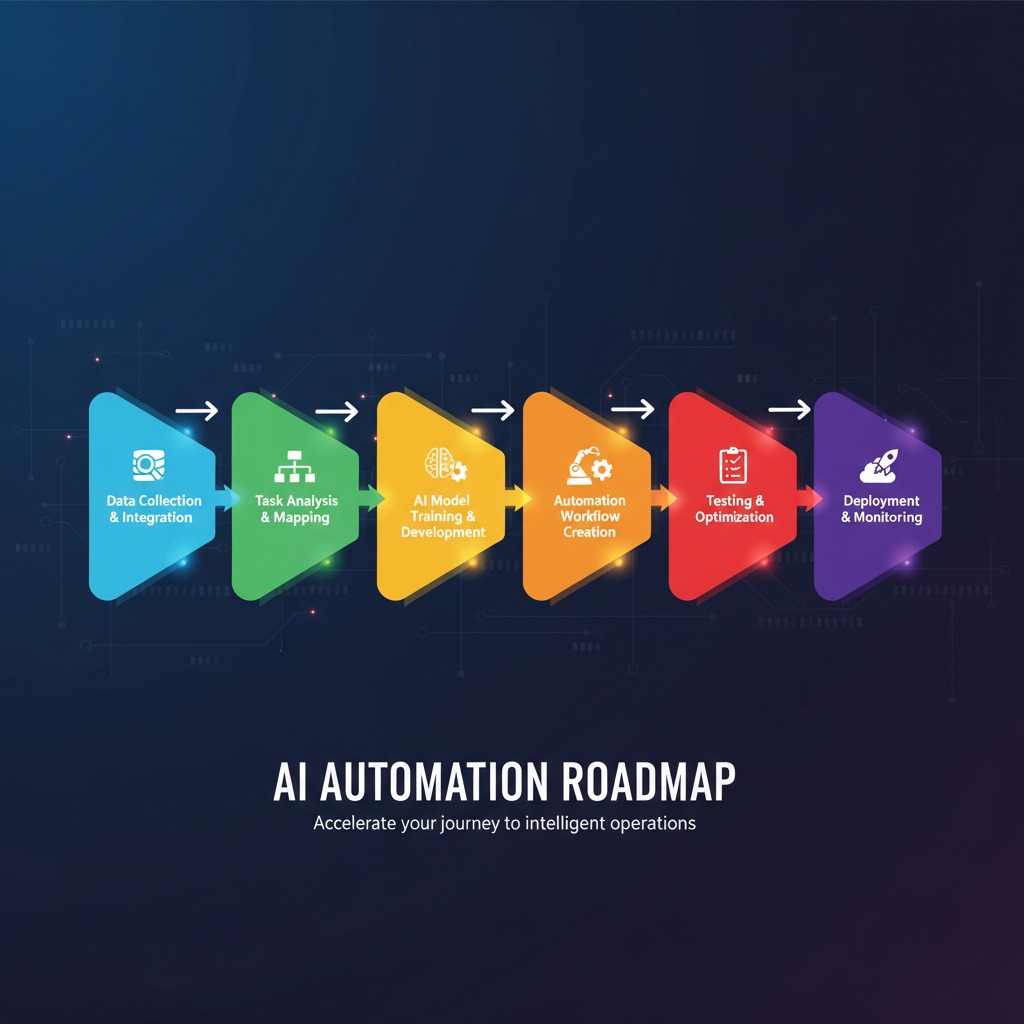
Step 3 – Choosing Beginner-Friendly AI Tools
Now, select tools that match your level. Look for free or low-cost options with easy interfaces. Popular ones include Zapier for connections or Google Workspace add-ons.
For beginners, try tools with templates. They guide you through setups. A non-technical professional might use IFTTT for basic automations like saving attachments.
Moreover, read user reviews. Choose tools with good support. This ensures you get help when needed.
Step 4 – Learning Basic Workflows
Then, learn how workflows function. A workflow is a series of steps AI follows. For example, when you receive an email, AI saves it to a folder.
Watch short tutorials on YouTube. Practice with sample tasks. Solopreneurs often start with email-to-task conversions.
Additionally, join free online communities. They share tips and answer questions. This speeds up your learning.
Step 5 – Building Your First Simple Automation
After that, create your initial setup. Pick one task from your list. Use a tool to connect apps.
For instance, automate social media posts. Set it so new blog content shares automatically. Test it with dummy data first.
Therefore, celebrate this win. It shows that AI automation for beginners works. Adjust as you go.
Step 6 – Testing and Improving
Once built, test your automation thoroughly. Run it multiple times. Check for errors or missed steps.
Gather feedback from your own use. A creator might notice posts go out at the wrong times. Fix it by tweaking settings.
Moreover, track the time saved. Use this data to refine. Over time, your setups become more reliable.
Step 7 – Scaling Your AI Automation
Finally, expand to more tasks. Add complexity gradually. For example, link multiple tools for full workflows.
A student could automate study schedules and reminders. An online business owner might handle inventory updates.
Additionally, explore advanced features. But always keep it simple at the core. This ensures long-term success.

Real-World AI Automation Use Cases
AI automation fits many lives. Students use it to organize notes and set study timers. For example, AI pulls key points from readings and adds them to a planner.
Content creators automate posting schedules. They connect writing tools to social platforms. This frees time for idea generation.
For an online business, AI handles order confirmations and stock checks. It alerts you to low inventory. Solopreneurs save hours on admin work.
In daily productivity, professionals automate report generation. AI compiles data from spreadsheets. This boosts efficiency without extra effort.
Benefits of Following an AI Automation Roadmap
This structured approach delivers real gains. You see results fast.
- Save time on routine tasks, so you focus on what you love.
- Boost income by scaling operations, like creators monetizing more content.
- Foster growth through new skills that open career doors.
- Build future-proof abilities in a tech-driven world.
Pros and Cons of AI Automation
AI automation offers clear upsides and some challenges. Understand both to decide wisely.
Pros
- Increases speed on tasks.
- Reduces human errors.
- Frees up creative energy.
- Scales easily for growth.
- Costs little to start.
Cons
Tools sometimes glitch. You need to troubleshoot. Setup takes initial time. Over-reliance might limit learning. Privacy concerns arise with data sharing.
However, beginners mitigate these with simple starts. Choose trusted tools to avoid issues.
Common Mistakes Beginners Make in AI Automation
Many newcomers rush in. They pick advanced tools first. This leads to confusion. Instead, start with basics to build comfort.
Another error is ignoring testing. Automations fail without checks. Always run trials and fix problems early.
Additionally, people overlook goals. They automate random tasks. Focus on high-impact ones for better results.
Forgetting to learn workflows causes issues. Skip tutorials, and you struggle. Dedicate time to basics.
Finally, scaling too fast overwhelms. Add one automation at a time. This keeps things manageable.
Frequently Asked Questions
What is an AI automation roadmap? It is a step-by-step plan to start automating tasks with AI. Beginners follow it to avoid confusion.
How do I start AI automation with no experience? Begin by identifying repetitive tasks. Then, choose simple tools and build an automation.
Is AI automation for beginners expensive? No, many tools offer free versions. Start small without spending much.
What tools work for AI workflow automation? Options like Zapier or IFTTT suit starters. They connect apps easily.
Can students use this AI automation guide? Yes, automate study notes or schedules. It saves time for learning.
How long does it take to see results from AI automation step by step? You notice savings in days. Full benefits come in weeks as you refine.
What if my automation fails? Test it first. Adjust settings and try again. Communities help troubleshoot.
Does AI automation replace jobs? It handles routine work. You focus on creative parts, enhancing your role.
Key Takeaways
- Start with clear goals.
- Identify repetitive tasks.
- Choose easy tools.
- Build and test slowly.
- Scale when ready.
- Avoid common pitfalls.
Final Thoughts from Mendanize
You now have a solid AI automation roadmap. Take the first step today. Build one simple automation and see the difference.
Explore more guides on Mendanize.com. We help you master AI without overwhelm. Your journey starts now—embrace it with confidence.