
Struggling to Keep Up? How to Boost Your Productivity: Top AI Tools for Everyday Tasks
Imagine rushing through your morning coffee, juggling emails, notes from last night’s meeting, and a to-do list that never ends. You feel overwhelmed, right? Many people face this chaos daily. But what if simple AI productivity tools could change that? They streamline routines and free up time for what matters. In this guide, discover how to boost your productivity with top AI tools for everyday tasks.
Why Boosting Productivity with AI Tools Matters
Everyone wants more hours in the day. AI productivity tools help achieve that. They handle repetitive work, so you focus on creative tasks. For instance, students use them to organize notes quickly. Professionals automate reports. Freelancers manage clients without stress.
Consider a busy parent working from home. Without help, they switch tabs constantly. AI steps in and simplifies. It saves time and reduces errors. As a result, you feel more in control.
- Students: Summarize lectures in seconds.
- Professionals: Draft emails faster.
- Freelancers: Track projects effortlessly.
These tools fit any lifestyle. They make work enjoyable. Plus, they adapt as you grow. Start small, see big changes.
ChatGPT: Your All-Purpose AI Sidekick for Daily Wins
Picture a helpful friend who brainstorms ideas, writes drafts, and solves problems on the spot. That’s ChatGPT in action. This artificial intelligence productivity app from OpenAI acts like a personal assistant. It handles everything from planning your day to researching quick facts.
Let’s dive into a real-life story. Sarah, a marketing coordinator, struggled with content ideas. One hectic week, she turned to ChatGPT. She typed, “Generate five blog topics on sustainable fashion.” In moments, it delivered fresh angles. She refined them and created her best campaign yet. Stories like Sarah’s show how ChatGPT turns overwhelm into opportunity.
It works through natural conversation. You ask questions or give prompts. The AI responds with tailored answers. For beginners, start simple. Try “Help me outline a weekly meal plan.” It lists steps, ingredients, and tips.
Benefits shine bright. It speeds up decision-making. You gain insights without endless searches. Pros include free basic access and vast knowledge. Cons? It sometimes needs specific prompts for accuracy. Also, it lacks real-time web access in basic mode.
Actionable tip: Use it for email replies. Input key points, and let it craft polite responses. This everyday AI tool for work saves hours weekly.
Notion AI: Organize Chaos Like a Pro with Smart Notes
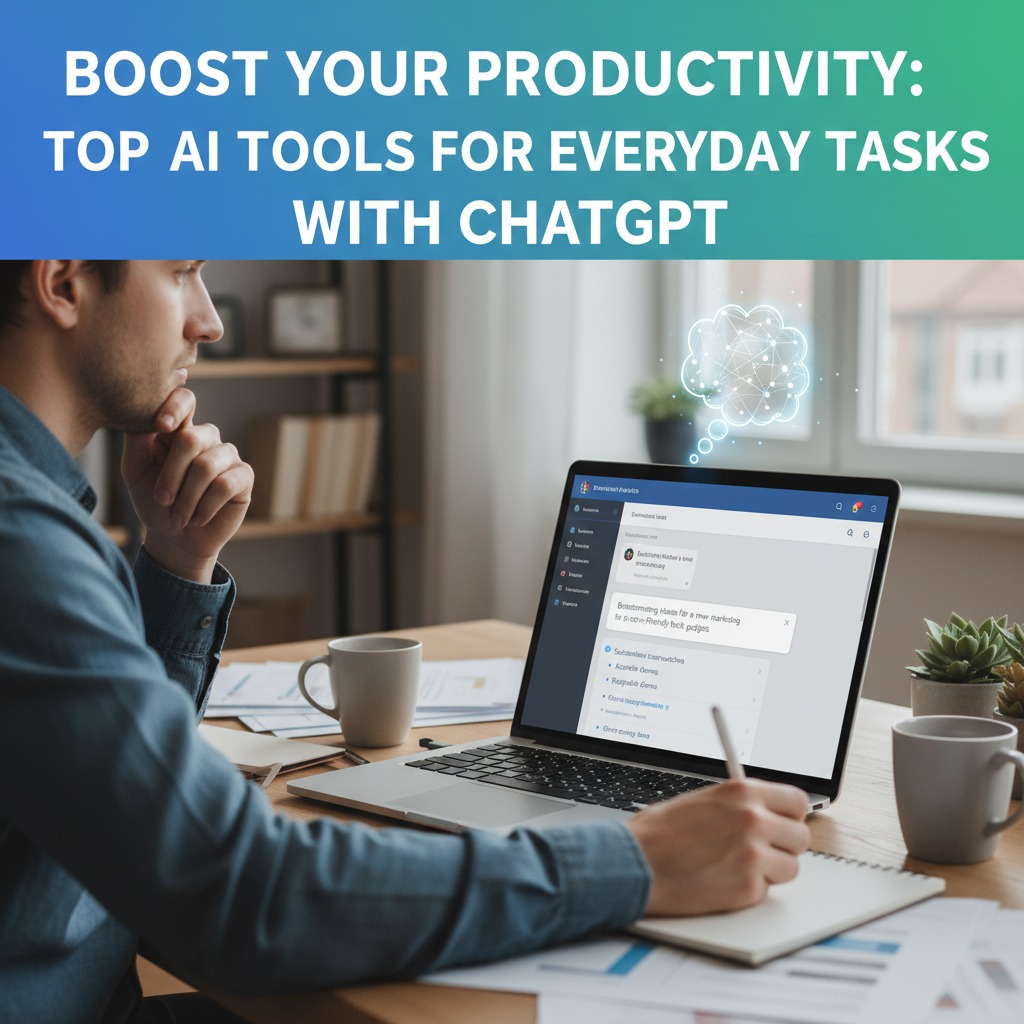
Think of your brain as a cluttered desk. Papers everywhere, ideas lost. Notion AI acts like a magic organizer. It sorts, connects, and enhances your notes. This top AI tool for productivity transforms scattered thoughts into structured plans.
Use an analogy here. Imagine building a house. You need a blueprint first. Notion AI provides that for your tasks. It summarizes pages, generates to-do lists, and even writes content within your workspace.
In practice, a freelancer named Alex uses it daily. He uploads meeting notes. Notion AI extracts action items automatically. Then, it creates a project board. Alex follows through without missing beats. This shows real-world power.
Features include auto-tagging and idea generation. Beginners love the clean interface. Open a page, highlight text, and select “Ask AI.” It suggests improvements.
Pros: Integrates with other apps seamlessly. Cons: Learning curve for advanced features. Benefits? Clearer thinking and less mental load.
Tip: For everyday tasks, set up a daily journal. Let Notion AI summarize your week. It highlights patterns and suggests tweaks.
Zapier: Automate Boring Tasks and Reclaim Your Time
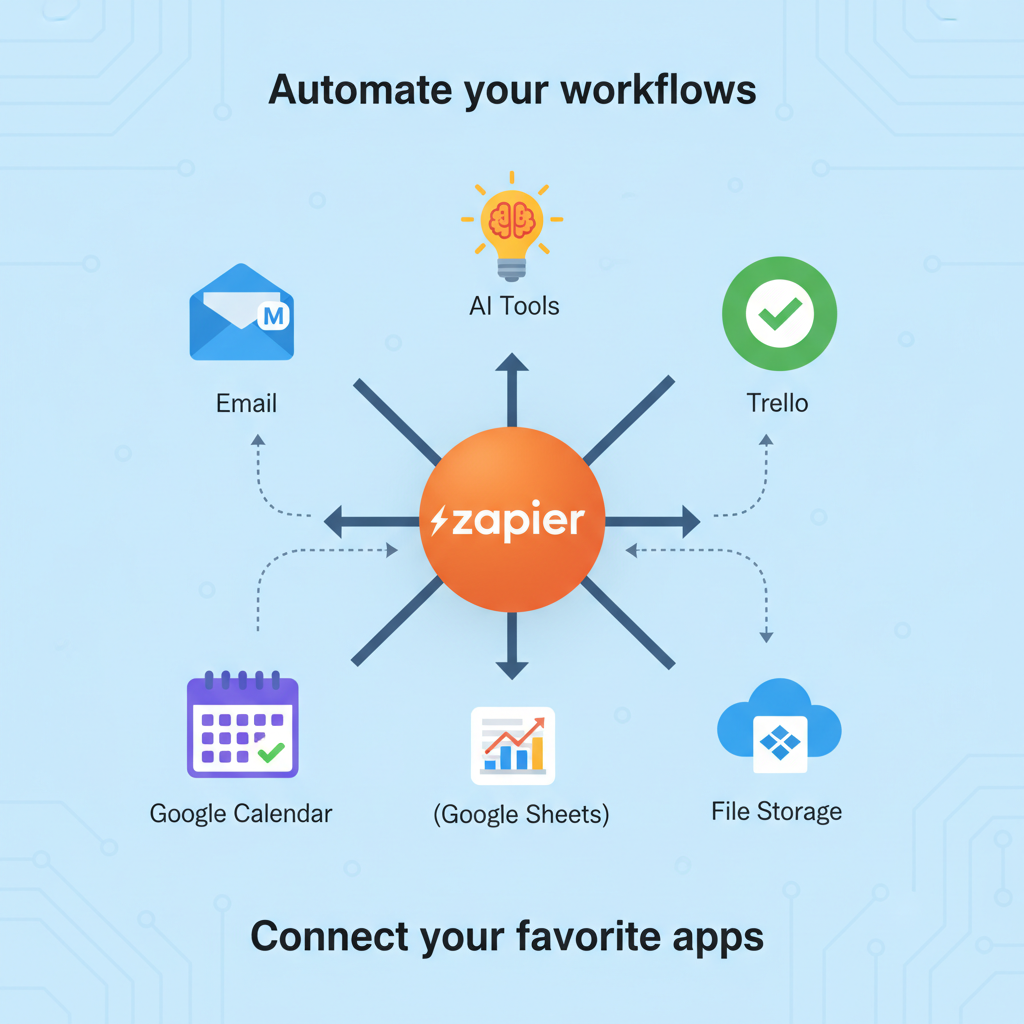
Ever feel like a robot repeating the same steps? Zapier breaks that cycle. This AI productivity tool connects apps and automates workflows. No coding needed. It handles transfers between email, calendars, and more.
Let’s break it down step by step. First, choose a trigger, like a new email. Second, pick an action, such as adding it to a task list. Third, test and run. That’s it. For example, link Gmail to Trello. New messages create cards automatically.
A small business owner, Mia, automated invoice reminders. Before, she spent hours chasing payments. Now, Zapier sends alerts on due dates. Her cash flow improved overnight.
Benefits include time savings and error reduction. Pros: Thousands of app integrations. Cons: Premium plans cost extra for complex zaps.
Actionable advice: Start with simple automations. Connect your calendar to Slack for event notifications. Watch productivity soar.
Otter.ai: Capture Meetings Without Missing a Beat
Meetings drag on, and notes slip away. Otter.ai changes that game. This everyday AI tool for work transcribes conversations in real time. It identifies speakers and highlights key points.
Consider a case study. A team at a tech startup held weekly syncs. Notes were inconsistent. They switched to Otter.ai. It recorded, transcribed, and summarized discussions. Follow-ups became easy. The team saved two hours per meeting.
How it works: Record audio via app or web. AI processes it instantly. Search transcripts later for specifics.
For beginners, upload a file or join live. It integrates with Zoom and Google Meet.
Pros: Accurate voice recognition. Cons: Background noise can affect quality.
Benefits: Better recall and collaboration. Tip: Use it for interviews. Let Otter.ai generate quotes and insights.
Grammarly: Polish Your Writing Like an Expert Editor
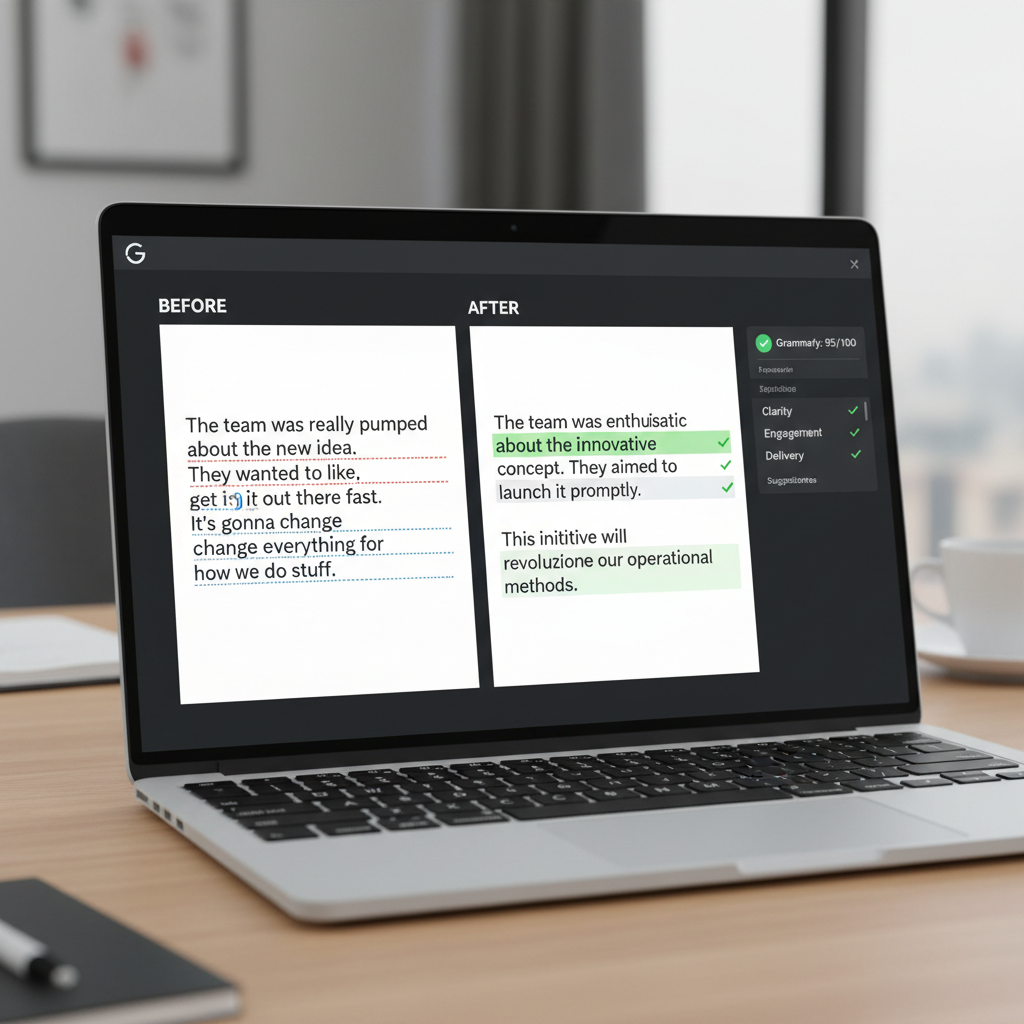
Writing emails or reports feels daunting. Grammarly steps in as your silent editor. This artificial intelligence productivity app checks grammar, tone, and clarity. It suggests improvements on the fly.
Draw an analogy. It’s like a GPS for words. You type, and it guides you to better paths. Avoid detours like awkward phrases.
In a scenario, teacher Lisa drafts lesson plans. Grammarly catches errors and enhances flow. Her materials engage students more.
Features: Real-time feedback across devices. Beginners install the browser extension. It works in docs, emails, and social media.
Pros: Free version covers basics. Cons: Advanced features require a subscription.
Benefits: Confident communication. Tip: For tasks, set tone to “professional.” It refines your message instantly.
Perplexity: Research Faster Than Ever Before
Searching online wastes time. Perplexity acts as a smart search engine. This top AI tool for productivity answers questions with sources cited. It digs deep without fluff.
Think of it through storytelling. Researcher Tom needed data on market trends. Traditional searches overwhelmed him. Perplexity queried, “Latest AI trends in marketing?” It compiled answers with links. Tom built his report in half the time.
It works by understanding context. Type a query, get concise responses.
For new users, explore the pro version for advanced searches.
Pros: Reliable citations. Cons: Limited free queries.
Benefits: Informed decisions quickly. Tip: Use for brainstorming. Ask follow-ups to refine ideas.
Microsoft Copilot: Supercharge Office Tasks with Built-in AI
Office work piles up fast. Microsoft Copilot embeds AI in Word, Excel, and Teams. It drafts documents, analyzes data, and summarizes chats.
Use a case study approach. A finance analyst, Raj, handled spreadsheets daily. Copilot generated formulas and charts. His reports impressed bosses.
How? Select text, ask Copilot to rewrite or expand.
Beginners: Enable in Microsoft 365 apps.
Pros: Seamless integration. Cons: Requires subscription.
Benefits: Efficient workflows. Tip: In meetings, let it note key points.

How to Integrate AI Tools into Daily Life
Start small to avoid overload. Pick one tool first. For example, use ChatGPT for morning planning. Set a routine: Check emails, then automate with Zapier.
Next, build habits. Schedule time blocks. Mornings for research with Perplexity. Afternoons for writing with Grammarly. This creates flow.
Moreover, combine tools. Link Otter.ai transcripts to Notion for organization. Track progress weekly. Adjust as needed.
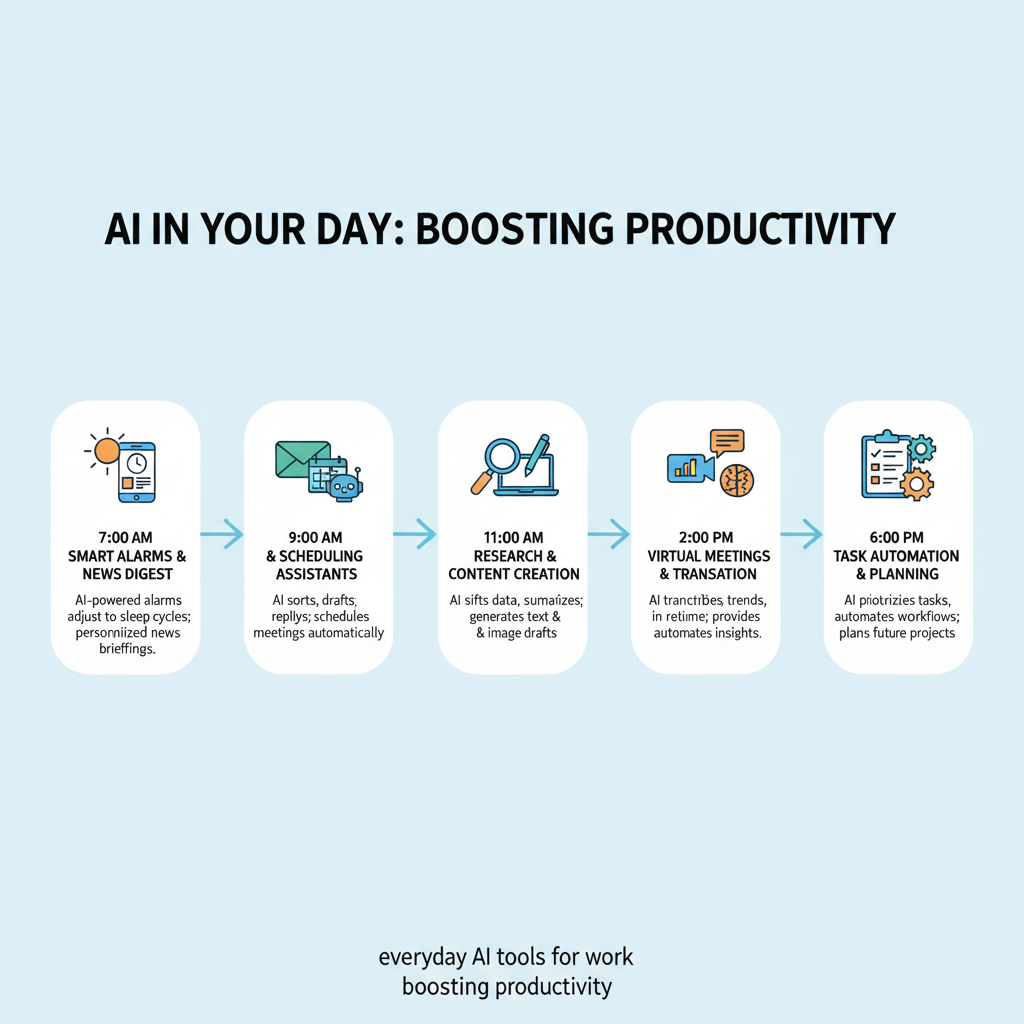
In a daily schedule, wake up and brainstorm with ChatGPT. During work, transcribe meetings via Otter.ai. End the day by summarizing in Notion AI.
Consequently, you notice more free time. Energy levels rise. Productivity becomes natural.
Common Mistakes to Avoid
Beginners often overload on tools. They download many and get confused. Solution: Start with two. Master them before adding more.
Another error: Ignoring privacy settings. AI handles data, so check permissions. Always use secure accounts.
People forget to verify AI outputs. Tools make mistakes. Double-check facts, especially in research.
Additionally, skipping updates leads to glitches. Keep apps current for best performance.
Finally, resist over-reliance. Use AI as a helper, not a crutch. Balance with human input.
FAQs
What are AI productivity tools? They are apps that use artificial intelligence to simplify tasks. Examples include ChatGPT for brainstorming.
How do I choose the top AI tools for productivity? Look at your needs. If writing is key, try Grammarly. For automation, go with Zapier.
Are these everyday AI tools for work free? Many offer free versions. Premium features cost extra, like in Otter.ai.
Can beginners use artificial intelligence productivity apps? Yes. They have simple interfaces. Start with basic prompts.
What benefits come from using AI to boost your productivity? You save time, reduce errors, and focus on important work.
How do I avoid mistakes with top AI tools for everyday tasks? Verify outputs and start slow. Don’t overload your routine.
Do these tools work on mobile? Most do. Apps like Notion AI sync across devices.
What’s the best way to learn these tools? Watch tutorials. Practice daily for quick mastery.
Key Takeaways
Start today and watch productivity climb.
ChatGPT sparks ideas fast.
Notion AI keeps everything organized.
Zapier automates routines effortlessly.
Otter.ai captures every word in meetings.
Grammarly perfects your writing.
Perplexity delivers quick, cited research.
Microsoft Copilot enhances office apps.
Integrate tools step by step for real gains.
Avoid common pitfalls like over-reliance.